
Windows & macOS
Open the patched .gba in a compatible GBA emulator. The game’s setup guide lists mGBA, VBA, and VBA-M.
Get the creator-authorized patch, combine it with your own FireRed copy, and enter the Yggdrasil Labyrinth.
Patch only — no copyrighted Pokémon ROM is hosted or linked here.
Already have your legally dumped FireRed base ROM and the extracted Odyssey patch? PatchMyROM handles UPS files directly in your browser. Your files stay on your device.
.gba file..ups patch..gba.The .ups is an instruction file. The patched .gba is the game you open.
Download v4.1.1, the Expanded Bag release, from the creator-linked MediaFire page. Extract the ZIP to find the .ups patch.
Use a clean, legally dumped Pokémon FireRed (U) 1.0 “Squirrels” .gba file. Keep an untouched backup.
On PatchMyROM, select the original .gba first, then the extracted .ups patch. Apply the patch and save the generated file.
Load the patched .gba file in a compatible Game Boy Advance emulator. The .ups file itself is not playable.
PokemonOdyssey.net does not host a FireRed ROM or a pre-patched copy. Use a clean backup from a game you legally own.
A real look at Pokémon Odyssey—exploration, team battles, and the world below Yggdrasil.
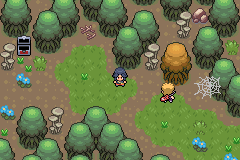
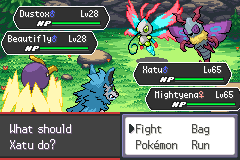
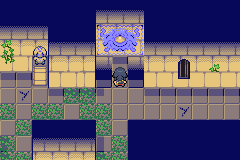
Pokémon Odyssey is a Game Boy Advance ROM hack. It is not a Windows program, Android APK, or iOS app.
Open the patched .gba in a compatible GBA emulator. The game’s setup guide lists mGBA, VBA, and VBA-M.
Patch in your browser, then open the generated .gba in a compatible GBA emulator. There is no Odyssey APK.
Patch first, then import the finished .gba into a GBA emulator such as Delta. Delta is for playing the result, not applying the .ups patch.
UPS verifies the exact input file. Most failures point to the base ROM or to selecting the wrong file from the ZIP.
Browse game documentation →Confirm the base is a clean FireRed (U) 1.0 “Squirrels” .gba. A different region, revision, or previously patched copy will not match.
Extract the official ZIP first. Select the .ups file inside it as the patch—not the ZIP itself and not the .gba emulator file.
Confirm you are opening the generated .gba, not the .ups. If needed, patch a fresh clean backup again and try a compatible GBA emulator.
Expanded Bag releases changed save compatibility. Keep v4.0.3 for an existing v4.0.3 save; begin a fresh save for v4.1.1.
The complete English edition for new playthroughs. The creator distributes it as a 4.5 MB ZIP containing the UPS patch.
Yes. The English release is complete at v4.1.1. The developer says future revisions, if any, will be bug fixes or small updates.
A clean, legally dumped Pokémon FireRed (U) 1.0 “Squirrels” ROM. Other regions, revisions, or already-modified ROMs can fail the UPS checksum check.
Extract the downloaded ZIP, then give PatchMyROM your clean FireRed .gba file and the Odyssey .ups patch. Apply the patch and download the generated .gba file.
Yes. PatchMyROM works in a modern mobile browser. After patching, open the generated .gba file in a compatible GBA emulator; Pokémon Odyssey is not an Android APK.
Yes. Patch in the browser first, then import the generated .gba file into a compatible GBA emulator such as Delta. Delta plays the patched file; it does not replace the patching step.
Start a new game with v4.1.1. If you need to continue an existing v4.0.3 save, stay on v4.0.3 because Expanded Bag releases are not save-compatible with it.
Pokémon Odyssey is created by PacoScarso and contributors. This independent fan guide links to the creator-authorized patch source and does not distribute Nintendo game files. Disclaimer & credits.